Every Instagram publishing failure resolves to one of four actions: retry it, fix the request, hand it to the account owner, or stop and escalate. Getting that call right is the whole job. Retry something permanent and you burn quota on a request that will never succeed. Fail something transient and you drop a post that would have gone out on the second attempt.
Meta documents what each error code means. It does not document which of the four actions to take, and its reference table has no transient column at all. This guide maps the codes Meta publishes today onto a decision, using the four failure categories InvisibleAPI’s unified publishing API already classifies every publish against. Every code below was read from Meta’s documentation on September 14, 2026, and the pages are linked at the end.
One API instead of the Graph API plumbing. InvisibleAPI is one job-based API for Instagram and X. Connect the account, create a publishing job, poll it until it reaches published.
Get API keyThe four decisions behind every Instagram publish error
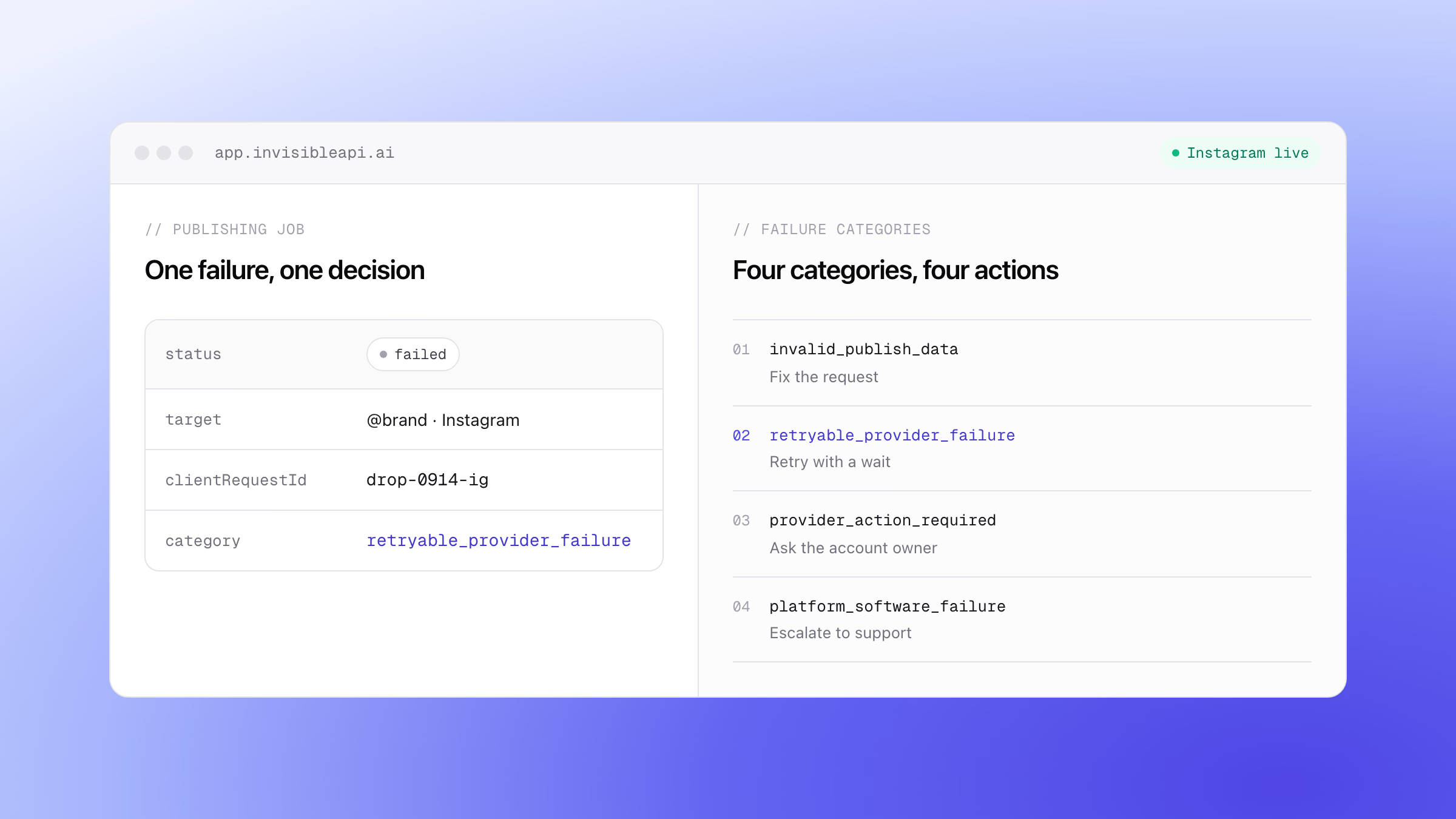
InvisibleAPI classifies every publishing failure into one of four categories. They are not severity levels. Each one names a different owner and a different next step.
| Category | What happened | What your code does |
|---|---|---|
invalid_publish_data |
The request broke a platform rule. Caption too long, aspect ratio out of range, too many carousel items. | Do not retry. Fix the payload and create a new job. |
retryable_provider_failure |
The provider failed in a way that usually clears on its own. Media still processing, a container that expired, a server error. | Retry with a wait. This one is retried automatically. |
provider_action_required |
A human with access to the account has to do something. Reconnect an expired grant, clear a restriction. | Stop retrying and surface it to the account owner. |
platform_software_failure |
The failure is ours, not the platform’s and not yours. | Do nothing. It routes to technical support. |

Read the table again from the reader’s side. Categories one and three both come back as a 400-shaped error from Instagram, and both are permanent for the request as written. The difference is who can fix it. That distinction is the one a raw code table cannot give you, and it is the one that decides whether your product shows a validation message or an alert asking someone to log in.
Why Meta’s error reference cannot make the decision for you
Meta’s documentation is accurate and detailed. It is just built to answer a different question. Three things get in the way of using it as a retry policy.
The codes live on three separate pages. Publishing subcodes such as 9007 and 2207027 are on the Instagram error-code reference. Codes 190 and 368 are on the Graph API error-handling guide. Codes 4, 17 and 32 are defined on the rate-limiting page. A developer holding a bare code 4 and a developer holding code 4 with subcode 2207051 have different problems and need different pages.
There is no per-code transient classification. The reference gives a message and a recommended action in prose. The word “transient” appears in the sample payload, not in the table. Meta’s error responses do carry an is_transient boolean alongside error_user_title and error_user_msg, so the signal exists at the moment of failure. It is simply not something you can look up ahead of time and build a switch statement from.
The recommended actions are not intervals. “Try again” appears against several codes with no guidance on how long to wait. Across the whole Instagram publishing table exactly one code publishes a concrete window: code 24 with subcode 2207008, where Meta says to retry once or twice within 30 seconds to 2 minutes.
Check the URL you are citing. developers.facebook.com/docs/instagram-platform/reference/error-codes returns a 404. It has been repeated in enough third-party articles that it looks canonical. The page that exists is developers.facebook.com/docs/instagram-platform/instagram-graph-api/reference/error-codes, which is also where the old /docs/instagram-api/reference/error-codes path now redirects. Verified September 14, 2026.
Instagram publishing error codes, grouped by what to do
Below are the codes Meta documents for content publishing, sorted by the decision rather than by number. Where Meta states the behavior explicitly, that is noted. Everywhere else the grouping is our reading of Meta’s recommended action, and you should treat the runtime is_transient field as the authority when the two disagree.
Fix the request, do not retry it
These map to invalid_publish_data. The same payload will fail the same way forever.
| Code | Subcode | What Meta documents |
|---|---|---|
| 100 | 2207028 | A carousel needs at least 2 and no more than 10 items |
| 100 | 2207040 | More than the permitted tags per media, with a maximum of 20 @ tags |
| 36000 | 2207004 | The image is too large to download, and should be under 8 MiB |
| 36003 | 2207009 | The aspect ratio is outside the permitted 4:5 to 1.91:1 range |
| 36004 | 2207010 | The caption is longer than the maximum of 2,200 characters |
| 352 | 2207026 | The video format is not supported, so use MOV or MP4 |
| 9004 | 2207052 | The media could not be fetched from the URI you supplied |
The last row is worth a second look. A URI that is not publicly reachable fails here, and no amount of retrying makes a private bucket public. Media has to be served from a public URL, which is a constraint worth designing for rather than discovering in production.
Retry, with a wait
These map to retryable_provider_failure.
| Code | Subcode | What Meta documents |
|---|---|---|
| 9007 | 2207027 | The media is not ready for publishing, so check the container status |
| 24 | 2207008 | The media builder does not exist or has expired. Meta calls this a temporary error and says to retry once or twice within 30 seconds to 2 minutes. |
| -2 | 2207003 | It takes too long to download the media |
| -2 | 2207020 | The media has expired, so generate a new container |
| -1 | 2207001 | An Instagram server error |
| -1 | 2207032 | Creating the media failed, so re-create it |
Code 9007 is the one most often mishandled. It is not really a failure at all: the media container is still processing. Meta’s own publishing guidance is to poll the container status and publish once it reads FINISHED, checking around once a minute for up to five minutes. The container statuses are EXPIRED, ERROR, FINISHED, IN_PROGRESS, and PUBLISHED. Code re-creating the container on a 9007 will queue a second upload for a post that was going to succeed.
The account owner has to act
These map to provider_action_required. Your retry loop cannot fix any of them.
| Code | Subcode | What Meta documents |
|---|---|---|
| 25 | 2207050 | The Instagram account is restricted, and the user has to resolve it in the app |
| 4 | 2207051 | Activity is restricted because publishing is suspected as spam |
| 190 | . | The access token expired, so a new one is needed |
| 368 | . | Temporarily blocked for policy violations |
Code 190 is the single most common failure in a long-running integration, and it is the clearest example of why a retry loop is the wrong tool. The token is gone. The account has to be reconnected before anything else works, which is what the reconnect and scopes guide covers. A grant that expires does not break the account itself, because each credential grant is separate, so another valid grant on the same account keeps publishing.
Escalate
platform_software_failure has no matching Meta code, and that is the point of having it. It covers the case where the request was valid, the platform was healthy, and something in between still broke. Instagram has no code for that, because from Instagram’s side it did not happen. Without a fourth bucket, failures of this shape get misfiled as transient and retried forever, or misfiled as caller errors and shown to a user who cannot act on them. In InvisibleAPI they route to technical support rather than to the account owner.

Limit errors are their own case
Limit errors are retryable, but not now, and the wait is the entire answer. Treating them like an ordinary transient failure is how an integration gets itself blocked for longer.
The publishing limit. Meta’s content publishing documentation states 100 API-published posts within a 24-hour moving period, and a carousel counts as one post. Exceeding it returns code 9 with subcode 2207042, and Meta’s guidance is to retry the following day. The figure of 25 posts per day still appears in a lot of third-party writing. It is not what the documentation says today, so budget against 100 and verify the number yourself before you build a scheduler around it.
The rate limits. Code 4 is the app-level limit, 17 is the user-level limit, 32 is the Pages API limit, 613 is a custom limit, and 80002 is the Instagram business use case limit. Meta’s instruction when you are throttled is blunt and worth following: stop making calls, because continuing increases the time before calls succeed again. The X-App-Usage and X-Business-Use-Case-Usage headers carry your current consumption, and the second one includes estimated_time_to_regain_access in minutes. That field is the only concrete backoff number Meta publishes, so it beats any interval you would otherwise guess.
Your own ceiling. Publishing through InvisibleAPI, each connected account can publish 100 posts per billing period, and a limits endpoint reports live usage so your code can check before it starts a batch. A pre-flight limit check is cheaper than a queue of jobs that fail at the provider. If the volume question is what brought you here, how volume-based pricing works explains what the bill is counted against, and the Instagram API pricing guide covers the wider cost comparison.
Retry logic that reads the category, not the code number
A retry policy built on a hardcoded list of integers rots. Meta does not publish a stable transient map, subcodes get added, and a code that behaves one way under publishing behaves differently under rate limiting. The list you wrote in January quietly stops matching reality, and nothing tells you.
Key the decision on the classification instead. Create the job:
curl -X POST "https://api.invisibleapi.ai/api/v1/organizations/$ORGANIZATION/publishing/jobs" \
  -H "Authorization: Bearer $INVISIBLE_API_KEY" \
  -H "Content-Type: application/json" \
  -d '{
    "targets": ["acct_ig_01"],
    "caption": "New drop, live now.",
    "mediaItems": [{ "mediaType": "image", "sourceUrl": "https://cdn.example.com/drop.jpg" }],
    "clientRequestId": "drop-0914-ig"
  }'
A job that fails comes back with the category, and with one delivery per target:
{
  "id": "job_01K2M4P7",
  "status": "failed",
  "clientRequestId": "drop-0914-ig",
  "deliveries": [
    {
      "target": "acct_ig_01",
      "platform": "instagram",
      "status": "failed",
      "failureCategory": "retryable_provider_failure"
    }
  ]
}
Then the decision is a switch over four values rather than a lookup table of integers:
type Category =
  | "invalid_publish_data"
  | "retryable_provider_failure"
  | "provider_action_required"
  | "platform_software_failure";

export function decide(category: Category) {
  switch (category) {
    case "retryable_provider_failure":
      return { retry: true, backoffMs: 60_000 };
    case "invalid_publish_data":
      return { retry: false, notify: "developer" };
    case "provider_action_required":
      return { retry: false, notify: "account_owner" };
    case "platform_software_failure":
      return { retry: false, notify: "support" };
  }
}
About the field names. The request shape is confirmed against the API reference: targets, mediaItems with its mediaType and sourceUrl, caption, requestedPublishAt and clientRequestId, and the create call returning 202. What is still unconfirmed is the job response: the deliveries array name and the failureCategory field. Check those in the API reference before you ship code that reads them.
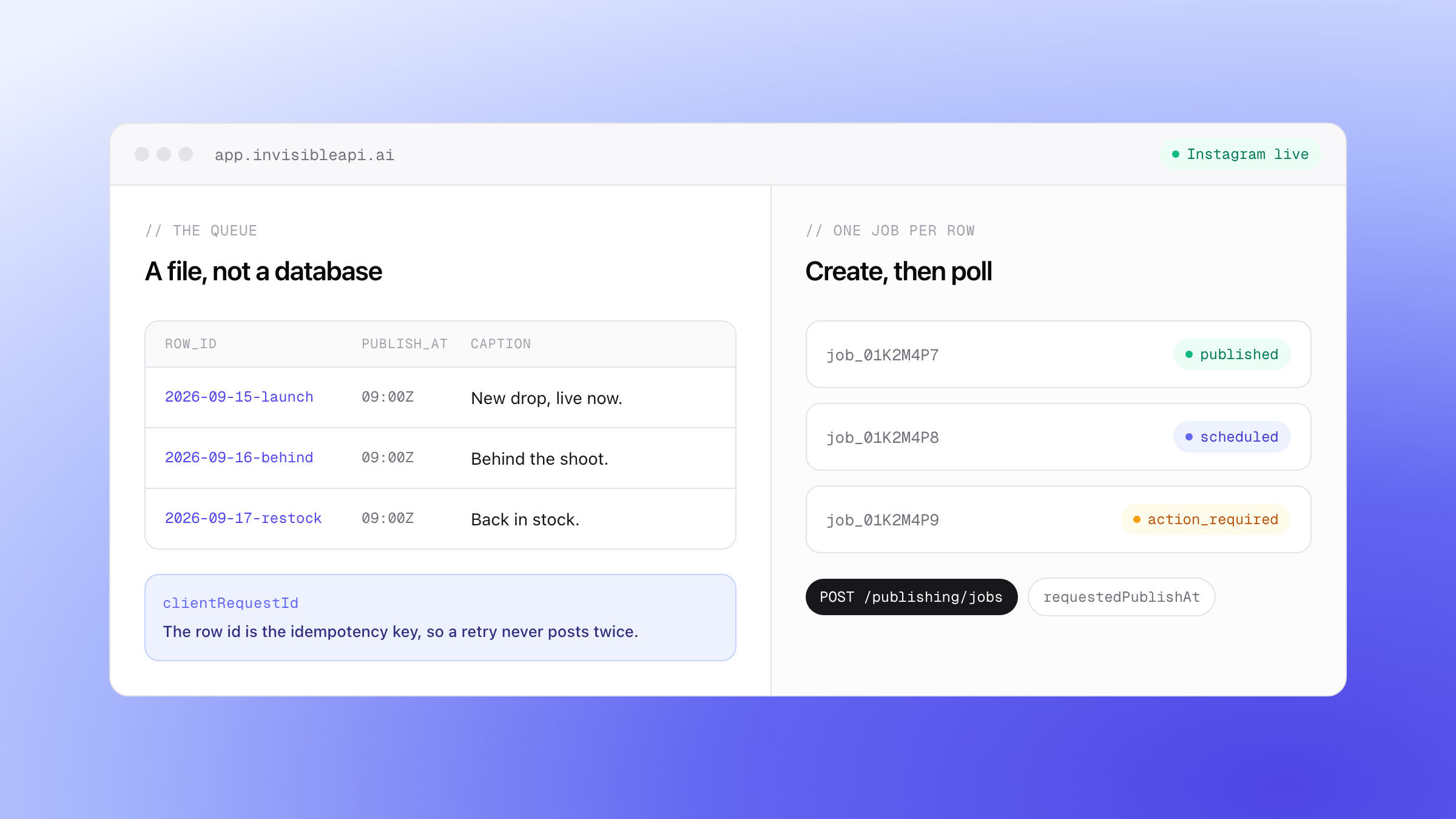
Retrying is only safe because the create call carries clientRequestId. That is the part most retry advice leaves out. When a request times out you cannot tell a call that failed from a call that succeeded and lost its response, so a blind retry is a coin flip on a duplicate post. An idempotency key removes the coin flip: the retried call does not publish twice. If you want the sweep-and-retry version of this as a working build, the failed social media post recovery template is the recipe.
Job states are worth knowing before you write the loop: pending, scheduled, processing, preparing, submitted, polling, published, partial_failure, failed, action_required, and canceled. Note that action_required is a terminal state of its own, so a job waiting on the account owner never sits in a retry queue pretending to be in progress.
The errors you can stop before they reach Instagram
Look back at the first table in this article. Almost every row is a rule that could have been checked before the request left your building. Caption length, aspect ratio, carousel count, and video format are all knowable in advance.
That is what preflight validation is for. Each platform adapter validates its own rules before anything is sent, so a violation fails with a specific error key rather than a provider round trip. One real example is publishing.validation.media_items.media_type_unsupported, which catches an unsupported media type at the door.
The practical effect is that a whole family of Meta codes stops appearing in your logs, and the ones that do appear are genuinely about the platform rather than about your payload. It also changes where the error surfaces: at job creation, where your code is still holding the context, rather than minutes later in an async callback.
When one job targets several accounts
One publishing job can target many connected accounts at once, and the per-target outcome lives in the job’s deliveries. This matters more than it sounds, because the same content can pass on one platform and fail on another. A 500-character caption publishes to Instagram and fails the 280-character rule on X, in the same job.
A single job status cannot carry that, which is why partial_failure exists as a distinct state. Read the deliveries, not just the job, and you get a per-account answer: which target published, which one failed preflight, and which category it failed under. For an agency fanning one client post across a dozen accounts, that is the difference between a useful report and a red dot.
Stop guessing which failures your code should retry
Instagram API error codes tell you what went wrong. A classification tells your code what to do next, and that is what turns a failing publish into a recovered one instead of an alert somebody has to read. Connect an Instagram account, create a job, and let the categories drive your retry logic rather than a list of integers you have to maintain. Every account starts with a 7-day free trial.
Post to X and Instagram from one API.
Connect the accounts once, create a publishing job, and poll it until it is published. Preflight validation catches a broken post before it reaches the platform, and a clientRequestId makes retries safe.
Sources
All four pages were fetched on September 14, 2026.
- Instagram Platform error-code reference, for every publishing code and subcode above
- Instagram content publishing guide, for the 100 posts per 24-hour moving period limit and the container statuses
- Graph API error handling, for codes 1, 2, 4, 17, 190, 368 and 506
- Graph API rate limiting, for codes 4, 17, 32, 613 and 80002 and the usage headers